Millersoft Provides the Missing Link for AI-Driven Analytics

· 5 min read
Calum Miller
Director

Data Vault Engine Released

“Great things are done by a series of small things brought together.” — Vincent van Gogh

Millersoft introduces a metadata-driven Data Vault automation platform with a Visual Studio for workflow-driven delivery, AI analytics readiness, and open source extensibility.

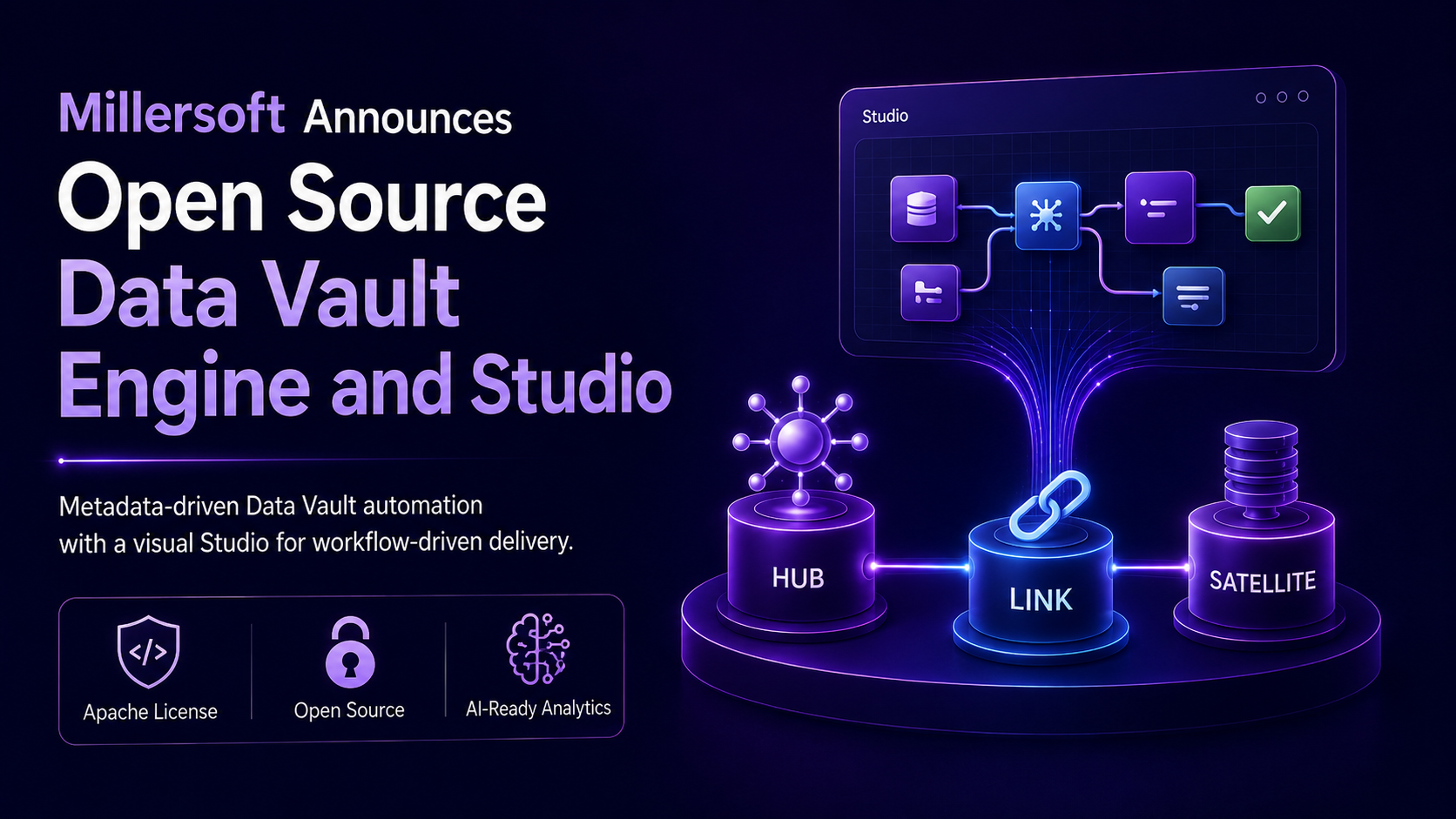
Edinburgh, Scotland — 27th of July, 2026 — Millersoft today announced the open source release of the Millersoft Data Vault Engine and Studio, a metadata-driven platform designed to provide the missing link between enterprise AI ambitions and the trusted data foundations required to make AI analytics believable.

Organisations are moving quickly toward AI-supported decision intelligence. Executives want to ask questions in natural language, combine operational data with external signals, and receive answers that reflect real business context.

Yet many AI analytics initiatives face the same underlying problem: fragmented data, weak lineage, missing history, inconsistent business meaning, erratic database queries and siloed reporting foundations.

Millersoft’s position is simple:

AI is only as believable as the data behind it.

Many organisations have invested heavily in dashboards, data lakes, lakehouses, APIs, and reporting tools. These technologies remain useful, but they do not automatically create trusted business meaning. Without ontology, cross-system business keys, historical relationships, and semantic consistency, analytical platforms can struggle to support high-value AI use cases. The Millersoft Data Vault Engine and Studio are designed to close that gap.

Released under the Apache License, the Millersoft Data Vault Engine is designed to give organisations, consultants, and data engineers an open foundation for Data Vault automation. The accompanying Millersoft Data Vault Studio provides a visual, workflow-driven interface for modelling, configuration, orchestration, and guided interaction with the Engine.

As organisations prepare for AI analytics, semantic modelling, data products, and enterprise-scale governance, the need for trusted, historised, auditable data foundations has never been greater. Millersoft believes the Data Vault architecture (as invented by Dan Linstedt) , combined with open source engines and metadata-first automation, represents a new frontier for modern analytics delivery.

“AI analytics, all powered by the Dan Linstedt's Data Vault architecture and open source engines, is the new data frontier,” said Calum Miller, Founder/Owner of Millersoft. “We want teams to explore it, build on it, and adapt it to their own environments. The Engine and Studio are designed to make Data Vault delivery more faster, more transparent, and more accessible.”

A Metadata-Driven Approach to Data Vault Delivery

The Millersoft Data Vault Engine is built around a metadata-first philosophy. Instead of hard-coding every pattern by hand, users define structures, relationships, rules, and workflows that the Engine can use to support repeatable Data Vault generation and operation.

The Studio adds a visual layer that helps teams interact with the Engine through guided workflows, making the platform suitable not only for engineers, but also for architects, analysts, and delivery teams who need a clearer view of how Data Vault components are defined and managed.

Key capabilities include:

  • Metadata-driven Data Vault modelling and automation
  • Visual Studio interface for workflow-driven interaction
  • Support for repeatable Data Vault delivery patterns
  • Open source extensibility under the Apache License
  • A foundation for analytics, AI readiness, governance, and lineage-aware delivery
  • Professional services support for organisations seeking expert guidance

Open Source Foundation, Professional Experience Available

Millersoft is releasing the platform as open source to encourage experimentation, learning, contribution, and innovation across the Data Vault community.

However, Millersoft also recognises that successful Data Vault delivery requires more than tooling. The Data Vault pattern can appear deceptively simple, but real-world implementations often expose complex challenges around business keys, source-system behaviour, historical change, data quality, integration semantics, and governance.

“The Engine and Studio help accelerate delivery, but they do not replace Data Vault experience,” added Calum Miller. “Our goal is to give teams a powerful open source foundation while also making experienced support available for organisations that want to avoid common pitfalls and deliver with confidence.”

Millersoft’s consultants bring practical experience building live Data Vaults both manually and using the Millersoft Data Vault Engine. Professional services are available for architecture review, implementation support, modelling validation, delivery acceleration, and best-practice guidance.

Availability

The Millersoft Data Vault Engine and Studio will be made available as an open source project under the Apache License.

Further details, documentation, community resources, and release information will be published via Millersoft’s official channels.

Organisations interested in early access, implementation support, or professional services can contact Millersoft directly.

About Millersoft

Millersoft is a Scottish software and data engineering company specialising in Data Vault architecture, data warehousing, operational analytics, regulatory reporting, ERP and CRM data integration, and modern analytics platforms. Millersoft helps organisations design, build, and operate modern data platforms using Data Vault architecture, metadata-driven automation, and pragmatic engineering practice. With experience across hand-built and automated Data Vault delivery, Millersoft supports teams seeking scalable, governed, and AI-ready analytics foundations.

History of the Data Vault Engine

More details here on the history of the Data Vault Engine and the Millersoft refinements.

Videos of Data Vault Studio in Action

Watch Data Vault Studio use AI to build a Data Vault.

Contact

Millersoft
LinkedIn: https://www.linkedin.com/in/millersoft
Website: https://millersoft.co
Email: calum+datavault@millersoftltd.com
GitHub: https://github.com/millersoft/datavault

AI-Driven Data Vault Article: Why Believable AI Starts with Believable Data


Why Believable AI Starts with Believable Data

· 8 min read
Calum Miller
Director

AI analytics is quickly becoming the new frontier of decision intelligence. Boards, CEOs, CFOs, and operational leaders are no longer satisfied with siloed PowerBI dashboards, delayed reporting cycles, and narrow views of business performance. They want internal business intelligence that converses with the outside world. They want to ask questions in natural language. They want AI to combine operational data, historical context, external signals, and business meaning into answers they can act on.

But there are significant problems.

AI is only as believable as the data behind it. AI asking questions of the data can be unreliable.

That is where the Data Vault architecture, as defined by Dan Linstedt, delivers significant value. His battle-tested approach is the most comprehensive architectural foundation for trusted, historised, cross-system, explainable business data. A data warehouse, built to the Data Vault standard, makes the data believable. Increased query reliability is also realised through the ontology baked into the data vault standard.

When Dan's Data Vault is combined with an AI-driven Engine and a Visual Studio, it changes the economics, speed, accuracy and accessibility of enterprise data warehousing.

This is the central idea behind AI-driven Data Vaulting: believable AI is a reliable aggregation of believable data.


Believable AI Requires Believable Data

For years, business intelligence has depended on the idea of a trusted system of record. Bill Inmon, widely recognised as the father of data warehousing, has long argued for the importance of believable data as the foundation of business intelligence.

That system of record must provide more than storage. It needs to behave like a true foundation for trust.

Believable data starts with a system of record

These qualities are mandatory when AI enters the enterprise. If an AI assistant gives a recommendation, generates an insight, or explains a performance trend, the business (or the Regulator) will eventually ask: where did that answer come from?

Without lineage, AI becomes astrology for the modern age.
Without history, AI becomes a random snapshot of noise.
Without context, AI becomes fools gold for gullible data miners.
Without authority, AI becomes just another source of doubt.

Believable AI needs a credible data foundation.


The Pre-AI Data Vault: Powerful, But Hard Work

Data Vault has always had a compelling architectural story. It handles history well. It links data across systems through business keys. It tracks relationships over time. It separates structural business concepts from descriptive context. It gives organisations a scalable, auditable way to integrate many operational systems into a single warehouse.

The classic strengths of Data Vault are still relevant because they work together as a coherent architectural pattern.

Why Data Vault still matters

But the traditional Data Vault journey has also carried significant cost and complexity. Data Vault can be difficult to query directly. Automation has often been expensive. There is a lot of modelling, mapping, naming, documenting, loading, testing, and semantic-layer work. Skilled practitioners are scarce, delivery cycles can be long, and business-facing consumption layers are often built manually.

In other words, Data Vault has had the architecture AI needs, but not always the accessibility, speed, or economics that modern delivery demands.

Past problems are today's opportunities.


What AI Changes

AI changes Data Vault delivery in three major ways.

First, it reduces the cost of automation. Tasks that once required repetitive engineering effort can increasingly be accelerated through metadata, generation, validation, and prompt-assisted workflows. For example, we pointed our Data Vault Engine at Hubspot CRM and generated a data warehouse in a day plus all the cohort analysis using AI over the data vault.

Second, it improves profiling and discovery. AI can help explore source data, identify patterns, infer relationships, detect anomalies, and accelerate the early analysis that often slows warehouse programmes. The devil is alway in the data and early profiling is the key to any successful data warehouse project. With AI driven Data Vaulting you get profiling baked in.

Third, it magnifies scarce skills. AI will not magically turn an inexperienced user into a Data Vault expert, but it can help experienced engineers and architects move faster, explain decisions better, and reduce the burden of repetitive implementation work and documentation.

This is where the Millersoft AI Data Vault Engine & AI Data Vault Studio breaks new ground.

The Engine provides the open, scalable automation foundation. The Studio provides the workflow-driven interaction layer. AI does the grunt. Together, they shift Data Vault from a specialist craft activity into a more guided, metadata-driven operating model.


The AI Data Vault Engine

The AI Data Vault Engine is the automation operating system: the place where metadata, rules, connections, processing logic, documentation, change data capture, and vault refresh patterns come together.

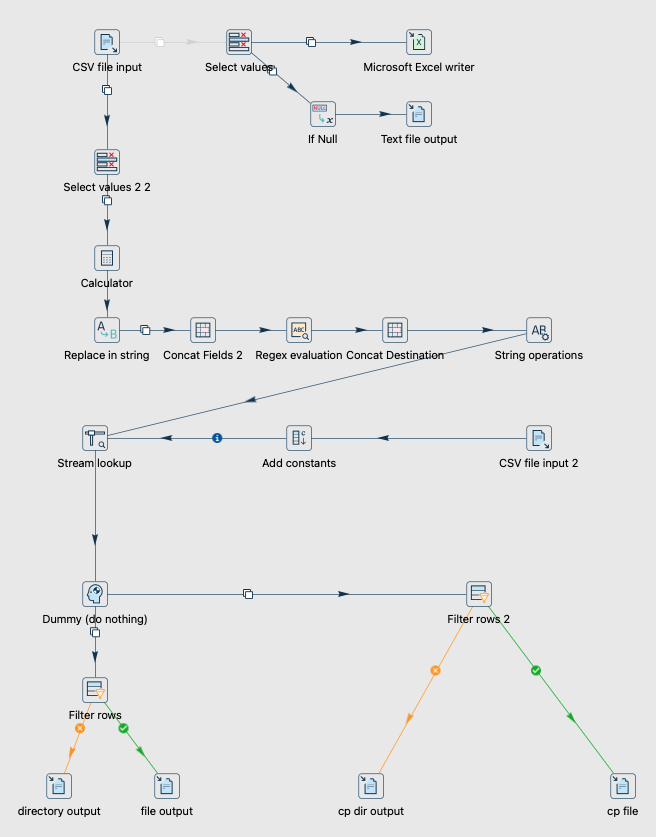
The AI Data Vault Engine handles repeatable, explainable and scalable Data Vault delivery. It's written using the amazing Apache Hop project, making it fully customisable.

The AI Data Vault Engine

This matters because the future of data warehousing is open, accessible, extensible, and automated through metadata.

An open source Engine gives teams a foundation they can understand, extend, and adapt. Docker integration makes deployment and experimentation easier. Documentation generation helps keep the model explainable. Change data capture and refresh capability supports the continuous movement of business data into a historised analytical foundation.

Millersoft's goal is to create an open standard operating engine for believable business data.

That's why we have open sourced every last line of code on GitHub, to reinvigorate the data-warehouse market. AI hasn't pinched data engineering jobs, it has made experienced practitioners more relevant and more productive.


The AI Data Vault Studio

If the Engine is the automation core, the Studio is the human interaction layer.

A visual Studio is essential because Data Vault projects involve many knowledge domains: source systems, business keys, relationships, descriptive context, history, semantics, lineage, quality rules, and delivery workflows. Much of this knowledge is difficult to manage through code alone.

The Studio rocks because it turns Data Vault delivery from a code-heavy specialist exercise into a guided workflow environment.

The AI Data Vault Studio

This is a significant shift. Traditionally, the semantic and business layer has often been manual, expensive, and separate from the warehouse modelling process. With AI-assisted generation and Studio-based interaction, the semantic layer can become a natural extension of the Data Vault metadata itself.

The ability to get AI suggested analysis and reports is possible now. With an accuracy much higher than any other AI technique because all the database queries leverage the context embedded in the Data Vault ontology.

That is powerful because AI does not just need data. It needs meaning.

A Studio that helps generate, validate, and expose business semantics can bridge the gap between raw historised data and business-facing AI analytics.


Why the Timing Matters

Several business forces are converging.

Executives want AI-supported business insight. Traditional dashboards and reports are no longer enough for many decision intelligence scenarios. Front-line staff increasingly expect to interact with systems through natural language prompts. Data from business systems is becoming accessible in new ways. Vendors are moving quickly. The old world of siloed datasets and narrow API-based reporting is reaching its limits.

At the same time, many organisations have discovered that a data lakehouse alone does not automatically solve the business integration problem. A lakehouse can be a useful storage and processing architecture, but without ontology, cross-system business keys, historical relationships, and semantic consistency, it just becomes a swamp infested staging area.

Organisations are also fast discovering that the Microsoft Medallion data classification is poor substitute for a professional data architecture. The Microsoft Medallion classification alone is insufficient for governed AI analysis.

AI needs more than files, formats, tables, and APIs. It needs a real analytical foundation.

The AI Data Vault Studio


The New Data Frontier

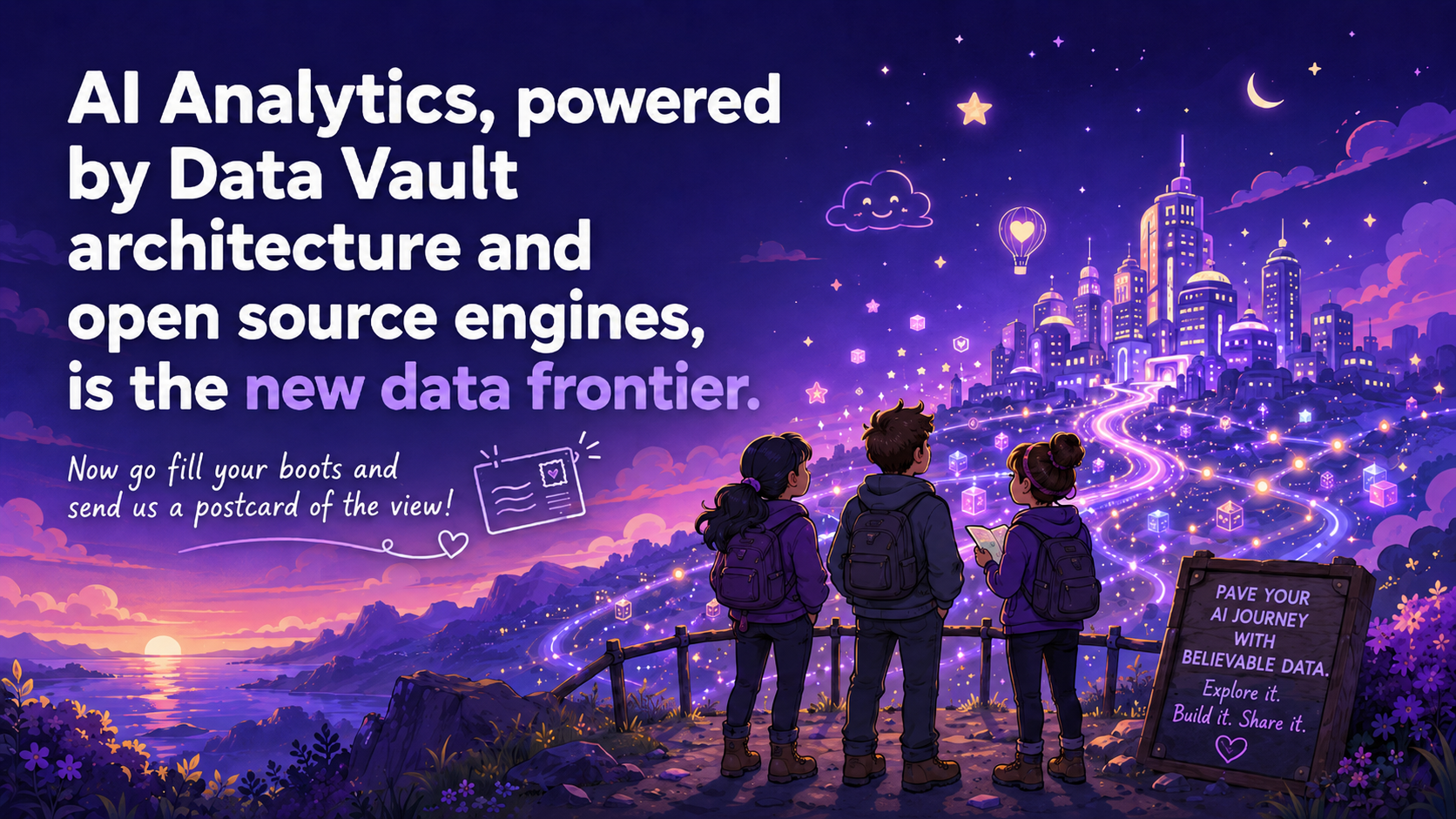
AI analytics, powered by Dan's Data Vault architecture and open source engines, is the new data frontier.

The losers will be the organisations still juggling siloed PowerBI dashboards on unknown origin. The winners will be the organisations with the most believable data and reliable queries. They will know where their data came from, how it changed, what it means, how systems relate, and why an AI-generated answer can be trusted.

That is the real opportunity for AI-driven analytics with Data Vaults.

The AI Data Vault Studio

The Data Vault gives the architecture. The Engine gives the automation. The Studio gives the workflow and interaction model. AI gives the acceleration. Open source gives the data warehouse community a foundation to build on.

The next generation of analytics will will be powered by integrated, historised, contextualised, explainable data foundations.

And for that, Data Vault is more relevant than ever.

More details here on the history of the Data Vault Engine and the Millersoft refinements.


History of the Data Vault Engine & Studio

· 4 min read
Calum Miller
Director

Millersoft Data Vault Engine Studio

The Data Vault architecture for modern data warehousing was invented and promoted by Dan Linstedt.

The original open source Data Vault Engine (DVE) project began life on Source Forge where Edwin Weber and a few other smart developers from the Netherlands created the project.

Edwin & Co. did a brilliant job of both the VMware example and the implementation using Pentaho Data Integration (PDI). The project was known to be servicing Data Vault needs across the globe. Millersoft had it operating in at least 2 client sites including a leading freight logistics company using CargoWise as the ERP source.

Despite early successes, a few issues transpired to slow Data Vault development in general and the Source Forge DVE in particular:

  • The IT world went Data Lake/Lakehouse mad (literally). This approach was seen (wrongly) as a cheaper/faster means of producing data warehouses. The vendors all started pushing Data Lakes and the DV approach became a niche interest.

  • Getting data into a Data Vault was always much easier than getting data out. Complex joins were the norm and few could write the SQL consistently. Vendor tools helped with the automation but they were/are very expensive.

  • Document Databases and Big Data technology like Hadoop also seemed much sexier to use and learn. Budgets seldom stretched to the 6 months needed for a Data Vault and skilled engineers were scarce. There was also no standard pattern for building/refreshing the needed business layer of the Data Vault.

  • Hitachi taking over Pentaho meant falling interest in PDI and the technology eventually went closed source (in parts).

  • Edwin's Data Vault Engine arrived before the 2.0 standard became popular (an update to the DV 2.0 standard may have appeared after Millersoft started a conversion). It was out of date and only supported MySQl and Postgres options. The code base was complex to amend even for experienced PDI developers. Adding new database types was difficult and it did not support new streaming workflows. There was no GUI and complex configuration was all in a spreadsheet.

So what happened next?

  • Millersoft added DV2.0 support to the original Data Vault Engine.
  • Apache Hop was launched and it was possible for Millersoft to convert Edwin's DVE to a new open source platform. Thank you Matt Casters, Bart Maertens and the rest of Team Hop.
  • Postgres Foreign Data Wrappers arrived to enable the DVE to support any data base (works a treat for example on Actian/Ingres X100 tables).
  • Artificial Intelligence (AI) is driving the need for believable data. Data Lake staging areas are not mature enough to support interpolation by AI analysis. Ontologies are needed, and guess what, Data Vaults are ontologies by design and AI engines understand them with a little context.
  • Suddenly AI can write all the complex Data Vault queries. Suddenly meta-data driven Data Vaults can be created with AI. Suddenly Edwin Weber's idea has come of age.
  • Millersoft added a Data Vault Docker container layer for orchestration and enterprise scale-out, we even have multi-tenancy.
  • Millersoft (using AI) has added a much needed GUI, the Data Vault Studio is born.
  • Millersoft created a Data Vault in day against Hubspot, suddenly a new data warehouse market opens up.
  • AI Analytics over believable data is a game changer but one layer is still missing over the raw vault...the Semantic Layer. We're integrating that next into the Data Vault Studio.
  • We want to help automate the construction and population of the Business Vault.
  • AI Analytics, all powered by the Data Vault architecture, fully open source engine and a semantic query layer is the new data frontier.

Special Thanks

  • Steve Graham Strategic advice on Data Vault product development and encouragement.
  • Angus Gow for enthusiastic early adoption.
  • Matt Casters for enthusiastic early adoption and market direction.

Now go fill your boots and send us a postcard of the view!

Team Millersoft

Data Vault Studio Released

· One min read
Calum Miller
Director

Millersoft has open sourced a powerful Data Vault Studio editor for easy maintenance of the Data Vault Engine. This studio enables AI driven data vault development at scale.

General Data Vault Studio Architecture

Millersoft Data Vault Studio Architecture

Watch Data Vault Studio in Action

Watch Data Vault Studio in Action

Watch Data Vault Studio AI Insights in Action

Watch Data Vault Studio in Action

Using the Sheetloom API A Complete Guide

· 6 min read
Aidan Mulgrew
Software Engineer

This guide will walk you through the complete workflow of using the Sheetloom API, from authentication to downloading your generated spreadsheets.

Overview

The Sheetloom API allows you to programmatically generate spreadsheets from templates. The workflow consists of four main steps:

  1. Authenticate with AWS Cognito to obtain access tokens
  2. Check available templates for your tenant
  3. Run Sheetloom to generate a spreadsheet from a template
  4. Download the generated spreadsheet

Prerequisites

  • A valid Sheetloom account with tenant credentials
  • curl installed on your system
  • jq installed (optional, but helpful for parsing JSON responses)

Step 1: Authentication

The first step is to authenticate with AWS Cognito to obtain your access and ID tokens. These tokens will be used for all subsequent API calls.

Authentication Request

curl -X POST "https://cognito-idp.{region}.amazonaws.com/" \
-H "Content-Type: application/x-amz-json-1.1" \
-H "X-Amz-Target: AWSCognitoIdentityProviderService.InitiateAuth" \
-d '{
"AuthParameters": {
"USERNAME": "your-email@example.com",
"PASSWORD": "your-password"
},
"AuthFlow": "USER_PASSWORD_AUTH",
"ClientId": "your-cognito-client-id"
}'

Understanding the Response

The response will contain several tokens:

  • AccessToken: Used for API authorization
  • IdToken: Used for API authorization (some endpoints may require this)
  • RefreshToken: Used to obtain new tokens when they expire

Save these tokens securely. You'll need the IdToken for the next steps.

Example response structure:

{
"AuthenticationResult": {
"AccessToken": "eyJraWQiOiJ...",
"IdToken": "eyJraWQiOiJ...",
"RefreshToken": "eyJjdHkiOiJ...",
"ExpiresIn": 3600
}
}

Step 2: Check Available Templates

Before generating a spreadsheet, you may want to see what templates are available for your tenant.

List Templates Request

curl -X GET "https://{api-gateway-endpoint}/core/templates/" \
-H "Authorization: {id_token_here}" \
-H "x-tenant-id: {your-tenant-id}"

Replace:

  • {api-gateway-endpoint} with your API Gateway endpoint
  • {id_token_here} with the IdToken from Step 1
  • {your-tenant-id} with your tenant identifier

This will return a list of available templates that you can use to generate spreadsheets.

Step 3: Run Sheetloom

Now that you have your authentication token and know which templates are available, you can generate a spreadsheet.

Generate Spreadsheet Request

curl -X POST "https://{api-gateway-endpoint}/core/main/?domain={domain}&template={template-path}&isUser={true|false}&fileName={filename}" \
-H "Authorization: {id_token_here}" \
-H "x-tenant-id: {your-tenant-id}" \
-H "Content-Type: application/json"

Parameters:

  • domain: The domain context for the generation (e.g., localhost:1234)
  • template: The full path to the template file (e.g., {tenant-id}-sheetloom-templates/default/templates/regulatory.xlsx)
  • isUser: Boolean indicating if this is a user-initiated request
  • fileName: The base name for the generated file

Example:

curl -X POST "https://{api-gateway-endpoint}/core/main/?domain=localhost:1234&template={tenant-id}-sheetloom-templates/default/templates/regulatory.xlsx&isUser=true&fileName=regulatory" \
-H "Authorization: {id_token_here}" \
-H "x-tenant-id: {your-tenant-id}" \
-H "Content-Type: application/json"

This will trigger the Sheetloom generation process. The response will typically include information about the generation job, including the file path where the generated spreadsheet will be stored.

If the template has any parameters, these can be added into the request using a -d flag on the curl request.

Example

curl -X POST "https://{api-gateway-endpoint}/core/main/?domain=localhost:1234&template={tenant-id}-sheetloom-templates/default/templates/regulatory.xlsx&isUser=true&fileName=regulatory" \
-H "Authorization: {id_token_here}" \
-H "x-tenant-id: {your-tenant-id}" \
-H "Content-Type: application/json" \
-d '{ \
"parameterName1": "value1", \
"parameterName2": "value2", \
"parameterName3": "value3" \
}'

Step 4: Download the Generated Sheet

Once the spreadsheet has been generated, you can download it using the download endpoint.

Download Request

The download endpoint requires the file path and returns a presigned URL for secure download:

curl -s -X GET "https://{api-gateway-endpoint}/core/download/" \
-G \
--data-urlencode "filePath={file-path}" \
--data-urlencode "presigned=true" \
-H "Authorization: {your_token_here}" \
-H "x-tenant-id: {your-tenant-id}" | \
jq -r '.downloadUrl' | \
xargs curl -f -o "{output-filename}.xlsx"

Breaking down the command:

  1. The first curl request gets the presigned download URL
  2. jq -r '.downloadUrl' extracts the download URL from the JSON response
  3. The second curl downloads the file using the presigned URL and saves it locally

Example:

curl -s -X GET "https://{api-gateway-endpoint}/core/download/" \
-G \
--data-urlencode "filePath=users/{email}/spreadsheets/templates/regulatory/regulatory.xlsx" \
--data-urlencode "presigned=true" \
-H "Authorization: {your_token_here}" \
-H "x-tenant-id: {your-tenant-id}" | \
jq -r '.downloadUrl' | \
xargs curl -f -o "regulatory.xlsx"

This will download the generated spreadsheet to your local machine as regulatory.xlsx.

Complete Workflow Example

Here's a complete example script that ties everything together:

#!/bin/bash

# Configuration
REGION="eu-west-1"
COGNITO_CLIENT_ID="your-cognito-client-id"
API_ENDPOINT="https://your-api-gateway.execute-api.region.amazonaws.com/dev"
TENANT_ID="your-tenant-id"
USERNAME="your-email@example.com"
PASSWORD="your-password"
TEMPLATE_PATH="your-tenant-sheetloom-templates/default/templates/regulatory.xlsx"
OUTPUT_FILE="regulatory.xlsx"

# Step 1: Authenticate
echo "Authenticating..."
AUTH_RESPONSE=$(curl -s -X POST "https://cognito-idp.${REGION}.amazonaws.com/" \
-H "Content-Type: application/x-amz-json-1.1" \
-H "X-Amz-Target: AWSCognitoIdentityProviderService.InitiateAuth" \
-d "{
\"AuthParameters\": {
\"USERNAME\": \"${USERNAME}\",
\"PASSWORD\": \"${PASSWORD}\"
},
\"AuthFlow\": \"USER_PASSWORD_AUTH\",
\"ClientId\": \"${COGNITO_CLIENT_ID}\"
}")

ACCESS_TOKEN=$(echo $AUTH_RESPONSE | jq -r '.AuthenticationResult.AccessToken')
ID_TOKEN=$(echo $AUTH_RESPONSE | jq -r '.AuthenticationResult.IdToken')

echo "Authentication successful!"

# Step 2: Check templates (optional)
echo "Checking available templates..."
curl -X GET "${API_ENDPOINT}/core/templates/" \
-H "Authorization: ${ACCESS_TOKEN}" \
-H "x-tenant-id: ${TENANT_ID}"

# Step 3: Generate spreadsheet
echo "Generating spreadsheet..."
curl -X POST "${API_ENDPOINT}/core/main/?domain=localhost:1234&template=${TEMPLATE_PATH}&isUser=true&fileName=regulatory" \
-H "Authorization: ${ID_TOKEN}" \
-H "x-tenant-id: ${TENANT_ID}" \
-H "Content-Type: application/json"

# Step 4: Download the generated sheet
echo "Downloading spreadsheet..."
FILE_PATH="users/${USERNAME}/spreadsheets/templates/regulatory/regulatory.xlsx"
curl -s -X GET "${API_ENDPOINT}/core/download/" \
-G \
--data-urlencode "filePath=${FILE_PATH}" \
--data-urlencode "presigned=true" \
-H "Authorization: ${ID_TOKEN}" \
-H "x-tenant-id: ${TENANT_ID}" | \
jq -r '.downloadUrl' | \
xargs curl -f -o "${OUTPUT_FILE}"

echo "Download complete! File saved as ${OUTPUT_FILE}"

Error Handling

When working with the API, you may encounter various errors:

  • 401 Unauthorized: Your token has expired or is invalid. Re-authenticate to get a new token.
  • 403 Forbidden: You don't have permission to access the requested resource. Check your tenant ID and user permissions.
  • 404 Not Found: The template or file path doesn't exist. Verify the template path and file path are correct.
  • 500 Internal Server Error: An error occurred on the server. Check the response body for details.

Security Best Practices

  1. Never commit tokens to version control: Always use environment variables or secure credential storage
  2. Rotate tokens regularly: Use refresh tokens to obtain new access tokens before they expire
  3. Use HTTPS only: All API calls should use HTTPS endpoints
  4. Validate responses: Always check response status codes and handle errors appropriately
  5. Store credentials securely: Use secure credential management tools rather than hardcoding credentials

Conclusion

The Sheetloom API provides a powerful way to programmatically generate spreadsheets from templates. By following this guide, you can integrate Sheetloom into your automation workflows, CI/CD pipelines, or custom applications.

For more information or support, please refer to the Sheetloom documentation.

Unlocking the Power of Druid MSQ in Superset

· 3 min read
Aidan Mulgrew
Software Engineer

At Millersoft, we’ve been working to make Apache Druid more efficient, flexible, and cost-effective for analytics workloads. One area we’ve focused on is the Python-to-Druid connector (pydruid), which powers integrations with Apache Superset.

We’re excited to share some improvements we’ve made that open the door to new capabilities in Superset dashboards and the potential for substantial cost savings in large-scale Druid deployments.


What We've Done

We extended the pydruid connector to support Druid’s MSQ (Multi-Stage Query) engine, which means Superset dashboards and charts can now use the MSQ engine. In addition, Superset can finally cancel running Druid queries, preventing wasted resources and speeding up the user experience.

These enhancements make Superset more responsive for analysts and more efficient for operators.


Why MSQ Is a Game-Changer

Traditionally, Druid queries rely heavily on historical nodes that keep data loaded on disk. While this ensures speed, it can be expensive to maintain, especially as data volumes grow.

The MSQ engine changes that. Now:

  • It can query directly against deep storage, removing the need to keep all historical data on disk.
  • Organizations can keep only recent hot data (e.g., the last 90 days) on historical nodes.
  • Older data can remain cost-effectively stored in deep storage, only queried on demand.

The Cost-Saving Opportunity

This hybrid model allows companies to reduce the number and size of historical nodes they need to operate.

For example:

  • Keep only 90 days of hot data in historicals.
  • Use MSQ to query older data in deep storage when needed.
  • Scale down historical nodes from multiple larger instances to fewer, smaller ones.

Depending on data volumes, this strategy could save thousands of dollars per month in infrastructure costs - all while retaining complete access to historical data.


A Better Experience in Superset

From the end-user’s perspective, the improvements are seamless:

  • Dashboards and charts remain fast and interactive for recent data.
  • Long-term analytics can still be run when needed, without bloating infrastructure.
  • Analysts can cancel queries directly from Superset, saving time and frustration.

This makes Superset not just a visualization tool, but also a cost-conscious analytics platform that adapts to both business and technical needs.


Looking Ahead

The combination of Superset’s flexibility and Druid’s MSQ engine gives organizations a new way to balance performance, cost, and data accessibility.

By making MSQ a first-class citizen in Superset through our pydruid improvements, we’re helping teams:

  • Deliver fast, interactive dashboards.
  • Keep full access to long-tail historical data.
  • Reduce infrastructure costs by optimizing their Druid footprint.

In other words: do more with less, without sacrificing depth of insight.

Enterprise Enhancements to Apache Superset

· 4 min read
Aidan Mulgrew
Software Engineer

At Millersoft, we’ve continued to invest in making Apache Superset more powerful, flexible, and enterprise-ready. Superset is already a fantastic open-source BI platform, but we’ve found that with a few key enhancements, it can become even better suited to real-world business needs, especially around automated reporting and usability.

Here’s a look at the improvements we’ve made to make Superset a more capable and adaptable analytics platform for our teams.


Smarter Data Handling with Detokenisation

One of our main goals was to make sensitive data handling both secure and user-friendly.

We introduced a new Detokenisation feature, available in both SQL Lab and the charting interface, which allows users to view tokenised data in a more readable format.

When enabled, this feature manipulates the returned dataframe to replace tokens (marked with a prefix like t:) with their plaintext values, which makes data exploration and analysis more intuitive for users who have permission.

This balances data security with ease of analysis, ensuring that tokenised values can be revealed only when needed, and only for authorised users.


Enhanced Email Reporting Capabilities

Out of the box, Superset’s email reporting capabilities are relatively limited, typically supporting only basic recipient and subject fields.

We’ve expanded this functionality significantly by adding CC and BCC fields for broader communication flexibility, and a custom email body, allowing teams to tailor their message content beyond the standard “Explore in Superset” link.

Enhanced Email Reporting

These changes make it easier for teams to send reports that are functional, context-rich, and branded, helping analytics outputs fit seamlessly into business workflows.


New S3 Integration for Report Delivery

In addition to enhanced email support, we’ve added AWS S3 as a new notification and delivery method for Superset’s reporting system. While Superset natively supports Email and Slack, our enhancement allows users to additionally export and deliver reports directly to S3, providing a simple and secure way to integrate reports into external systems or make them accessible via an SFTP server.

S3 Export Example

This functionality is built as a new S3 notification plugin, extending Superset’s base notification framework used by Email and Slack. It’s fully integrated into the Superset UI — users can select S3 as a delivery option directly from the Alerts & Reports configuration screen.


Integration with Superset’s New Alert and Report System

With the release of Superset 4.0, a new Alerts and Reports framework was introduced, replacing the previous reporting mechanisms. To ensure full compatibility, we reimplemented our enhancements, including the S3 delivery option and custom email body support, within this new framework. The updates extend the base notification class used by Superset’s core notification methods, ensuring that our improvements remain upgrade-safe and consistent with Superset’s architecture.

To access the new features, users simply select “Alerts & Reports” from the Superset settings menu, where they’ll find the additional configuration options for S3 delivery and enhanced email fields.


Secure, Enterprise-Grade Authentication with Keycloak

We also integrated Keycloak authentication, enabling teams to manage user access through a central identity provider. This integration supports enterprise requirements like single sign-on (SSO), role-based access control (RBAC), and multi-factor authentication, allowing organizations to manage Superset users securely and at scale.


A More Robust and Flexible Superset

Taken together, these improvements make Superset not only more powerful, but also more aligned with modern business needs:

  • Secure and user-aware data handling through detokenisation.
  • Richer, more customizable reporting with enhanced email options and S3 delivery.
  • Enterprise-ready access control with Keycloak integration.
  • Seamless compatibility with Superset’s new Alerts & Reports system.

By enhancing these key areas, we’ve turned Superset into a more complete BI platform — one that integrates deeply into existing enterprise workflows while maintaining the speed, openness, and flexibility that make it so popular with analysts and engineers alike.


Looking Ahead

We see these enhancements as the foundation for future improvements. As our use of Superset continues to grow, we’re exploring further ways to make it smarter, more automated, and more connected with the wider data ecosystem.

With the right enhancements, open-source analytics tools like Superset can deliver the best of both worlds: enterprise-grade capability and open-source agility.

Counting Distinct Values Accurately in Druid SQL

· 3 min read
Aidan Mulgrew
Software Engineer

When working with Druid SQL, it's easy to fall into a common trap when counting distinct values: using COUNT(DISTINCT ...) directly can sometimes return unexpected results. Recently, I hit a case where COUNT(DISTINCT) returned a different value than selecting the DISTINCT rows manually - and this post explains why that happens, and how to fix it.

Unlock NetSuite Sales and Orders with Sheetloom

· 3 min read
Gerry Conaghan
Business Development Manager

Filling business decision models with essential data captured in NetSuite™ can be: tiring, confusing, repetitive and error prone. The good news for the brave souls, doing all that manual labour, is Sheetloom. Sheetloom is the game-changing SaaS solution that seamlessly automates the injection of NetSuite™ data straight into dynamic Excel decision models, pivots, dashboards and reports.

Credit Control

· One min read
Calum Miller
Director

Credit Control is a challenging and time-consuming affair which, if managed incorrectly, can lead to cash flow problems and even business failure. Keeping track of customer payment history, to indicate potential problems, is an important task but often; labour intensive, complex and error prone.

Finance - Credit Check Automation

· One min read
Calum Miller
Director

A finance company used a mix of the latest digital tech and a human touch to bring a different approach to small businesses lending.

A crucial part of the loan review process required the company to credit score each applicant. Testing of the credit score process proved very time consuming using traditional methods. The finance company would manually; select applicants, collect individual responses and then consolidate results from a credit checking service.

Information Technology must serve decision makers

· 3 min read
Calum Miller
Director

All Business Intelligence (BI) vendors have a dirty little secret. It’s hidden under a weighty digital rock, keeping all those electronic worms company. It’s shared by Looker, Pentaho, Power BI, Tableau, SAP, Quicksight, et al.

It’s obvious, but seldom noticed. Take a deep breath, here it is;

All BI clients use Excel, way more than the BI vendors care to admit.