CareerBuilder™ Migration and Fuzzy Matching

Moving candidate records out of a legacy recruitment platform is rarely as simple as exporting a spreadsheet and importing it somewhere else. Names change, email addresses go out of date, and documents are often stored separately from the candidate record they belong to.
We recently helped a client move data from CareerBuilder™ into a new platform using Apache Hop. The job was to match the exported candidates to the client's payroll list, prepare the data for import, and make sure each person's CVs and supporting documents ended up in the right place.
The Challenge
The client had a master list of people in an Excel payroll file. They also had CareerBuilder™ exports from more than one batch, along with folders full of attachments.
The difficult part was that the same person did not always look the same in every file. A name might have a typo or an accent, an email address might be old, and dates of birth were not always written in the same way. Some records were missing useful details altogether.
Simply matching on one field would have left too many people behind, or worse, linked the wrong files to the wrong person.
How We Approached It
Matching People, Not Just Rows
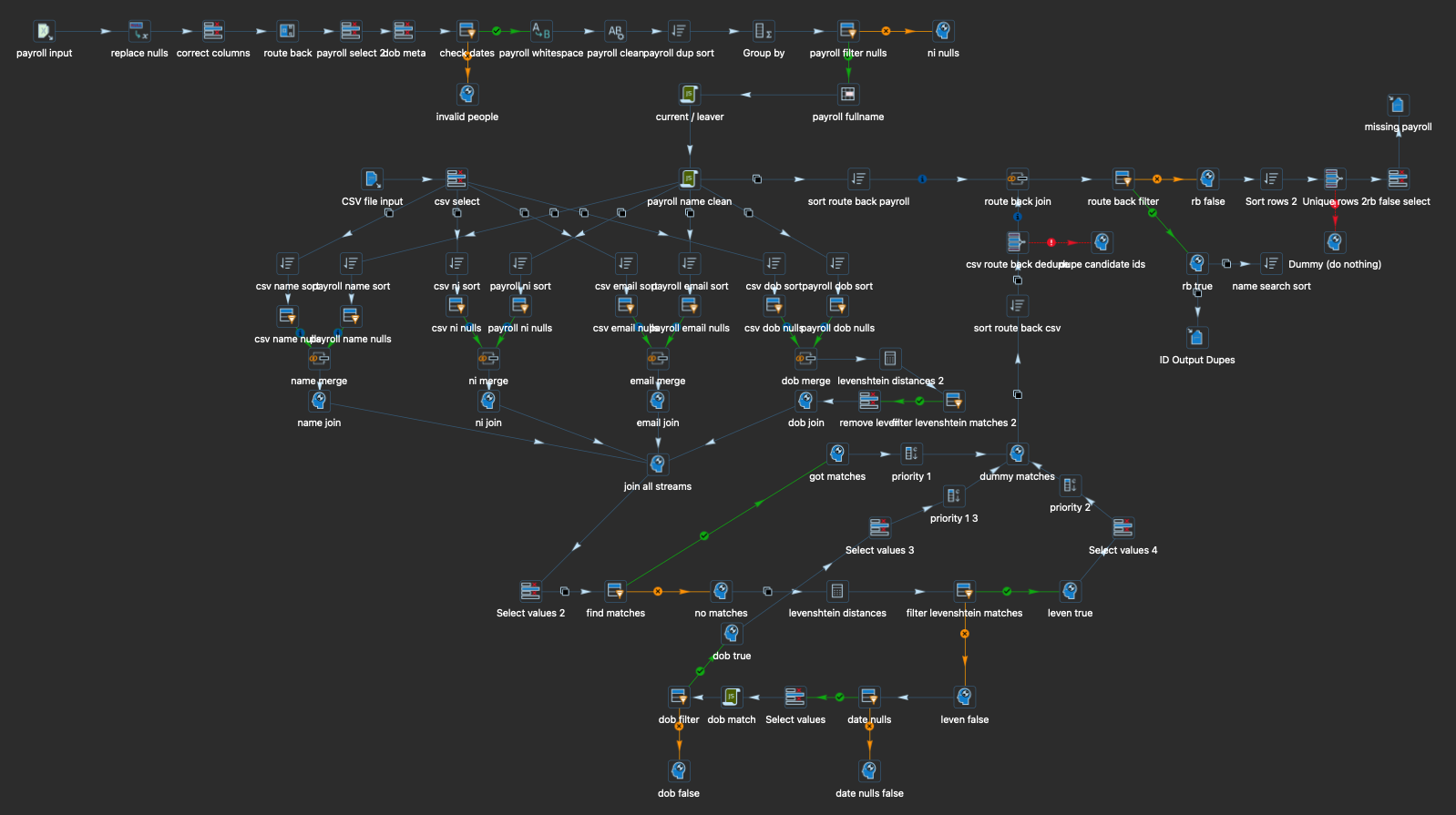
Apache Hop read the CareerBuilder™ exports alongside the payroll spreadsheet and tidied the data first. It cleaned up spaces, capital letters and unusual characters, and brought date values into a consistent format.
We then compared several details for each person rather than relying on a single one:
- Full name
- Work email address
- National Insurance number
- Date of birth
Where these details matched exactly, the result was straightforward. For the less tidy records, the workflow also allowed for small differences in a name, email address or NI number. This is often called fuzzy matching, but in practice it just means allowing for the kinds of minor mistakes that appear in real-life exports.
The rules were kept deliberately cautious. A close match still had to make sense against the other information we held, so similar names alone could not create a match. Anything that was not clear enough was left for review rather than being guessed.
Keeping Track of the Source Files
Once a candidate had been matched, we created a clean list that kept the candidate ID, the source export it came from and the payroll details needed for the migration. It also highlighted duplicate IDs and people who could not be matched, giving us a useful list of exceptions to check.
This step was important because it gave us a reliable bridge between the data and the documents. Rather than trying to work out who a CV belonged to from a filename, we could use the matched candidate ID and the export batch it came from.
Bringing the Attachments Along
The later Hop workflows scanned the attachment folders from the different CareerBuilder™ exports and matched them back to the cleaned candidate list. They then created a destination folder for each person and copied across the relevant documents.
The original files were left untouched and existing files were not overwritten. That gave us a safe, repeatable process: if anything needed checking, we could rerun a part of the migration without risking the source documents.
Alongside the document folders, other workflows prepared the structured JSON files needed by the new platform. Keeping the data conversion and document copying as separate steps made the process much easier to check and rerun.
The Result
The client ended up with a much cleaner migration package:
- Matched candidate records, ready for import
- JSON files prepared for the new platform
- One organised document folder per matched candidate
- Clear reports for missing or duplicate records that needed a human check
Most importantly, the process removed a large amount of manual sorting while keeping the uncertain cases visible. That is the balance we aim for in a migration: automate the routine work, but never hide the decisions that need a person to make them.
If you have a data migration task or need help matching exports and attachments to master data using Apache Hop, get in touch with our team at Millersoft.