Dynamics 365 profitability reporting: customer and product contribution

Dynamics 365 profitability reporting becomes more informative when a sale is connected to the costs of making, delivering and supporting it. Sales revenue alone cannot show whether a product or customer generates a worthwhile contribution.
An independent warehouse can combine Dynamics 365 transactions with carrier charges, payment settlements and service activity from other systems, while keeping every allocation and definition open to review.
Decide which profitability measure you need
Quoted margin, realised gross margin, customer contribution and fully allocated operating profit are different measures. Define the revenue basis, included costs, reporting period and allocation rules before comparing customers or products.
A credit note can arrive after an order is shipped. Manufacturing labour may already be included in product cost, while outbound delivery appears on a separate invoice. Charging either cost twice can make an apparently detailed report less accurate.
Keep directly matched costs separate from allocations and estimates. Where a cost cannot be assigned reliably, show the unallocated amount and its effect on the interpretation.
Real-world example: G&J Pepsi connected sales and service information
Microsoft's G&J Pepsi story describes Dynamics 365 supporting connected sales and field service workflows, with staff able to access sales history, equipment information, schedules, parts and pricing. Read the G&J Pepsi story.
Those relationships help explain why a customer view may need service activity alongside sales. The contribution calculation below is an illustrative analytical design, not G&J Pepsi's reported margin calculation or a Millersoft implementation.
Worked scenario: a £50,000 margin becomes £34,000 contribution
An illustrative customer order produces £120,000 of invoiced revenue after discounts and before tax. Its approved product cost is £70,000, including the relevant manufacturing labour and overhead. A later credit and further attributable costs change the contribution.
| Revenue or cost | Amount | Reporting treatment |
|---|---|---|
| Invoiced sales after discount | £120,000 | Initial revenue |
| Later customer credit | −£5,000 | Net revenue becomes £115,000 |
| Product cost | −£70,000 | Includes manufacturing costs and any returned-stock recovery |
| Outbound delivery | −£6,000 | Not already included in product cost |
| After-sales service | −£4,000 | Approved time and effective cost rates |
| Payment charges | −£1,000 | Matched settlement charges |
| Contribution | £34,000 | Before other unallocated costs and tax |
The initial gross margin was £50,000, or 41.7% of £120,000. Contribution after the additional items is £34,000, or 29.6% of £115,000 net revenue. Label the measures and denominators so the percentages remain meaningful.
The product-cost assumption includes any recovery associated with returned goods. A real implementation would reconcile that treatment to the actual credit and inventory records.
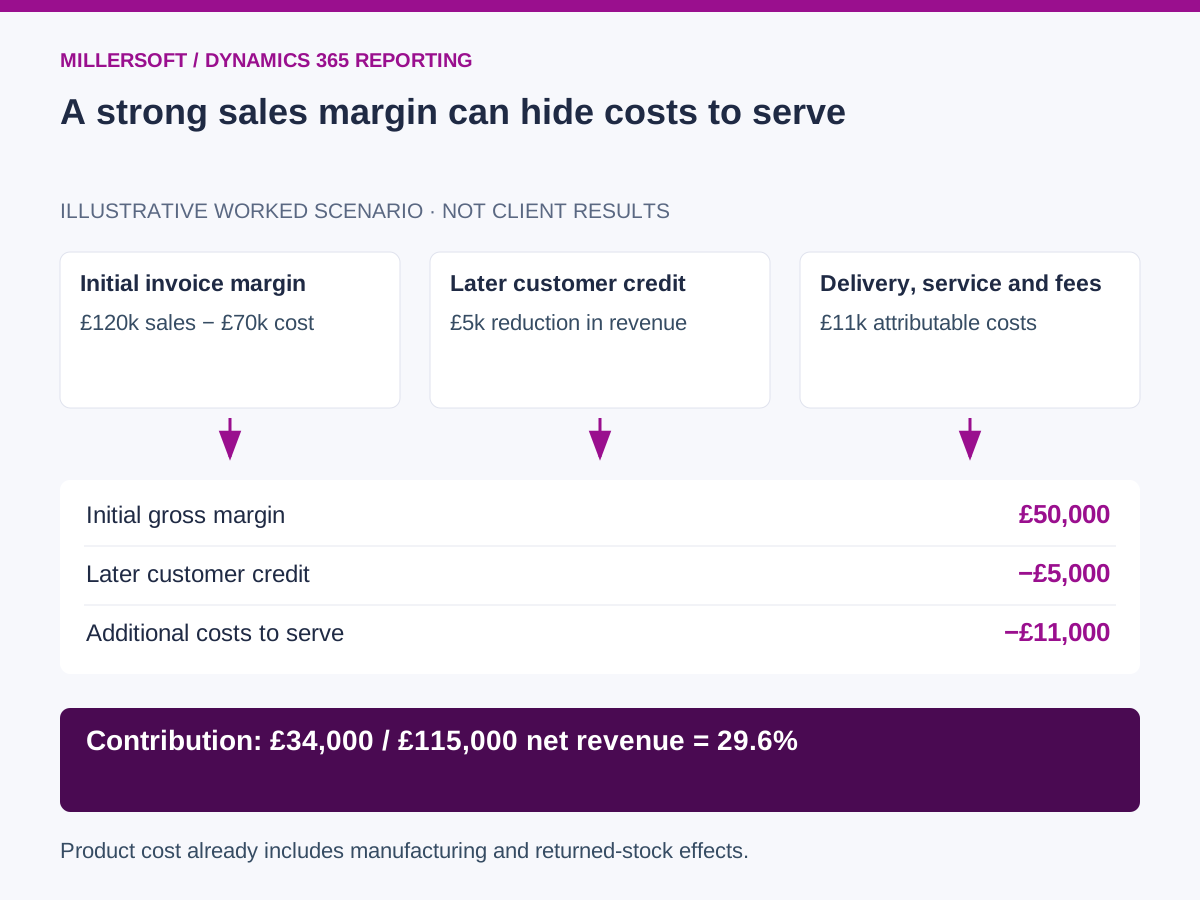 (opens the full-size image in a new tab)
Connect revenue, product costs and cost to serve
Use source environment, legal entity, transaction and line identities, with reviewed links between orders, invoices, credit notes and returns. Retain the cost basis and subsequent adjustments relevant to the reporting period. For Finance and Supply Chain Management, agree how invoicing, inventory settlement and cost adjustments affect realised margin. For Business Central, validate the separate item and value entry relationships. Link Sales or Customer Service records through reviewed customer and document mappings, rather than assume a shared identifier across applications.
Bring external carrier and payment data into the same model using shipment, order and settlement references. For shared charges, agree an allocation driver such as weight, parcel count or order value, and preserve its version.
Service costs need task or ticket references, approved hours and effective rates. Protect sensitive underlying cost information while exposing the appropriate contribution measures to authorised users.
Distinguish an early estimate from the final result
A newly fulfilled order may not have its final freight invoice or complete service record. Publish a provisional contribution where useful, with estimated components identified. Keep the estimate so the team can explain why final contribution changed.
A practical pilot selects a completed order cohort and reconciles net revenue to finance. It then tests cost coverage, duplicate attribution and allocation rules with business owners. Track unmatched costs, estimate-to-actual movements and the proportion of the result supported by direct evidence.
Retain the definitions as well as the figures
The customer mapping, allocation rules and product-cost assumptions are part of the analytical asset. Keeping those alongside permitted source records makes an earlier contribution report easier to reproduce after a supplier or ERP change. Approved semantic views can also give AI analytics a consistent definition of contribution to use.
Frequently asked questions
Is this the same as the customer's overall profit?
Not necessarily. This example stops at contribution before other unallocated costs and tax. A fully allocated view needs further approved rules and should be labelled separately.
Can an external warehouse work with existing Dynamics 365 profitability reports?
Yes. Start by reconciling their definitions and totals, then extend the analysis where additional sources, historical versions or different cost views are required.
Continue exploring Dynamics 365 reporting
Back to the independent Dynamics 365 data warehouse overview.
- Dynamics 365 multi-company reporting across subsidiaries and ERPs
- Dynamics 365 stock and finance reconciliation: explain valuation differences
Make your Dynamics 365 reporting explainable
Talk to Millersoft about a focused Data Vault Engine & Studio pilot using your permitted source data, reporting definitions and retention requirements.
Discuss your Dynamics 365 reporting challengeMicrosoft and Dynamics 365 are trademarks of the Microsoft group of companies. Millersoft is not affiliated with or endorsed by Microsoft.