Dynamics 365 stock and finance reconciliation: explain valuation differences

Dynamics 365 inventory reconciliation connects the value supported by item transactions with the corresponding general ledger balance. A difference may reflect report scope, costing, timing, account configuration or a journal that has no matching stock movement.
An independent warehouse helps bring those records into a repeatable investigation, with retained source evidence and an approved explanation of every material break.
Agree the scope before comparing the totals
Select the same legal entity, ledger basis, reporting currency, period and inventory accounts. Check the item types, ownership and locations included in the stock report. A warehouse location and an accounting entity are different dimensions.
Then establish the cost basis and extract cut-off. Product receipts, invoices, issues, returns, production and cost adjustments can affect the result. In Supply Chain Management, preserve the effect of inventory recalculation or close and distinguish physical updates from financial updates. A later recalculation or correction must be distinguished from the version used in the original reconciliation.
In Dynamics 365 Supply Chain Management, inventory value reports show physical and financial quantities and amounts. The Inventory value report storage output does not include general ledger balances; Microsoft directs users to trial balances for that reconciliation. Preserve both outputs with comparable parameters. Read Microsoft's inventory value report documentation.
Business Central uses a different inventory and ledger model. Establish its item, value and G/L entry relationships separately rather than applying Supply Chain Management report instructions to it.
Real-world example: L&M Fleet Supply connected store inventory
Microsoft's L&M Fleet Supply story describes using Dynamics 365 Supply Chain Management for inventory visibility across stores and distribution, alongside more connected financial processes. Read the L&M Fleet Supply story.
Operational visibility creates useful evidence for finance, but knowing where stock sits does not by itself prove its ledger value. The following reconciliation illustrates that distinction with invented figures; it is not a reported discrepancy at L&M or a Millersoft client result.
Worked scenario: explain a £4,000 difference
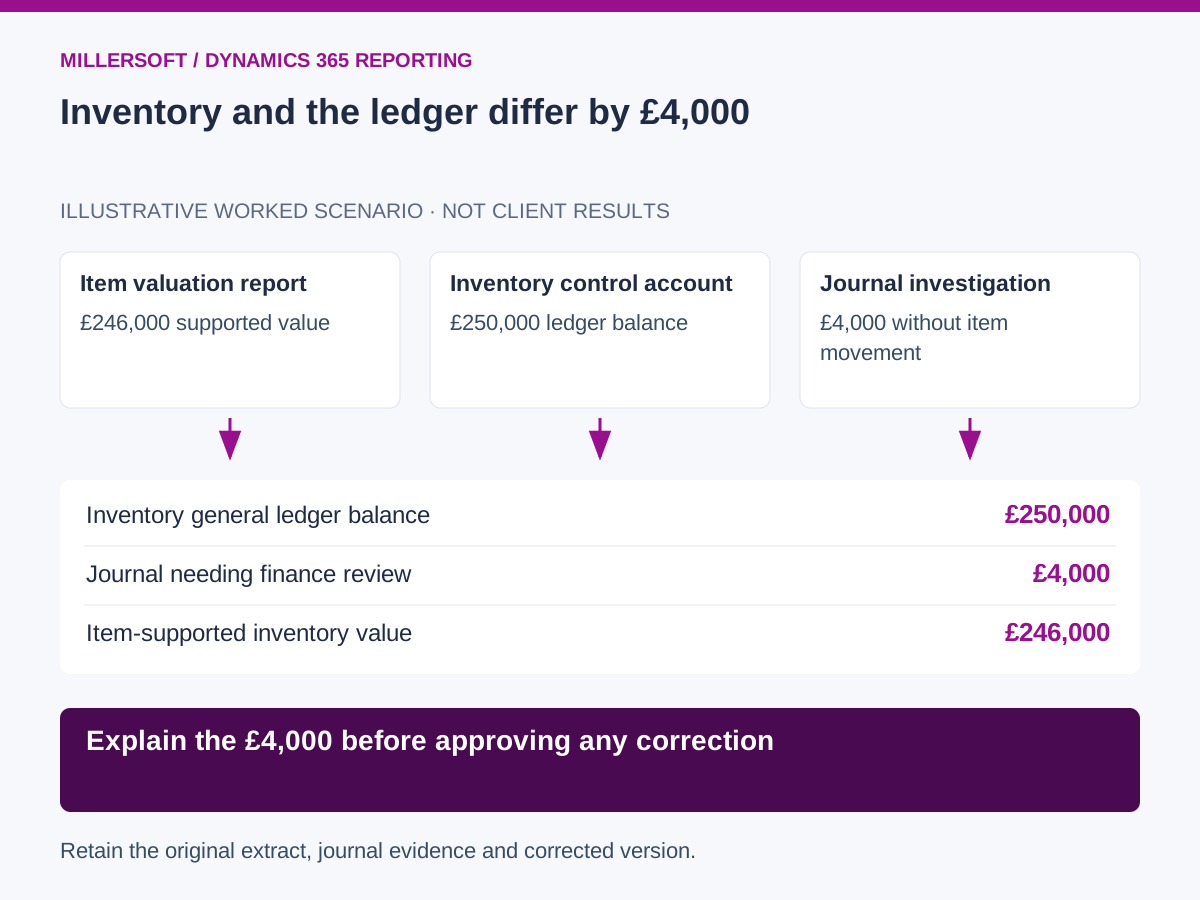
Assume an illustrative business has an item valuation of £246,000 and a general ledger inventory balance of £250,000. Finance confirms both reports use the same legal entity, currency, accounts and cut-off.
| Reconciliation finding | Amount | Evidence |
|---|---|---|
| General ledger inventory balance | £250,000 | Retained account detail |
| Journal debit with no item transaction | £4,000 | Manual journal and approval record |
| Balance supported by item valuation | £246,000 | Inventory transaction detail |
| Unexplained remainder | £0 | Complete reconciliation bridge |
The £4,000 journal is an explanation to review, not an automatic correction instruction. If finance determines it belongs in another account, the approved reclassification reduces inventory to £246,000. Its counterpart and accounting period follow the organisation's normal controls.
Keep the original £250,000 extract, the reviewed journal and the subsequent corrected balance. A forced balancing entry would remove the visible difference without necessarily resolving its cause.
 (opens the full-size image in a new tab)
Connect item-level and ledger-level evidence
Retain transaction, line, item, legal entity, location and account identifiers. Keep the source accounting impact, quantity, cost and relevant document relationships. Avoid matching records solely because their amounts are equal.
Separate quantity reconciliation from cost reconciliation. A missing receipt and an incorrect cost may produce the same monetary difference but require different action. Track account-only entries independently from item movements.
For manufacturing or landed costs, establish which costs are already included in inventory and when they affect the accounts. Preserve the configuration and calculation assumptions needed to explain the approved valuation.
Turn the investigation into a controlled close process
- Confirm extract completeness and comparable scope.
- Reconcile opening positions and period movements to closing balances.
- Classify breaks by quantity, cost, timing, mapping or unsupported posting.
- Assign exceptions to inventory or finance owners with supporting documents.
- Retain the approved bridge and any subsequent correction evidence.
Start with one product category and one close. Measure the value and age of unresolved differences, recurring root causes and time spent finding the responsible transaction.
Preserve the reconciliation beyond the operational system
Retain the permitted extracts, mapping versions and approved reporting snapshot in an environment your organisation controls. That makes an earlier reconciliation usable during an audit or ERP change, subject to the agreed archive scope. A warehouse complements operational accounting; it does not itself approve or post journals.
Frequently asked questions
Should the stock report always match every entry in an inventory account?
Only after the scope and posting population are understood. A non-item journal may affect the account without changing the item valuation, which is precisely why the transaction bridge matters.
Can a warehouse repair an incorrect costing configuration?
It can identify evidence and quantify the effect. Source configuration and accounting corrections need the responsible team's review and approval.
Continue exploring Dynamics 365 reporting
Back to the independent Dynamics 365 data warehouse overview.
- Dynamics 365 profitability reporting: customer and product contribution
- Dynamics 365 historical reporting: reconstruct past business positions
Make your Dynamics 365 reporting explainable
Talk to Millersoft about a focused Data Vault Engine & Studio pilot using your permitted source data, reporting definitions and retention requirements.
Discuss your Dynamics 365 reporting challengeMicrosoft and Dynamics 365 are trademarks of the Microsoft group of companies. Millersoft is not affiliated with or endorsed by Microsoft.