NetSuite™ historical reporting: reconstruct past business positions

NetSuite™ historical reporting asks what the business looked like at an earlier reporting date, using the information available at an agreed cut-off. Today's order status, customer mapping or forecast amount may have changed since the original management pack was approved.
An independent data warehouse can retain captured changes and publication snapshots, allowing finance and operations to reproduce a past position and explain the movement to the current one.
Why a current report can change the historical picture
A September order can be fulfilled in October. A salesperson can revise a closing date, and a corrected transaction can arrive after a report has been issued. Filtering today's extract by creation date does not recreate all the values that applied before those changes.
NetSuite™ already provides transaction history and System Notes. Oracle documents the capture of changes, including old and new values, in its audit facilities. We assess that evidence alongside the extraction route and reporting scope, rather than assume that a new warehouse must start without any history. See Oracle's System Notes overview.
The reporting design must still identify which initial values, related records and changes are available and whether they can be extracted consistently. An audit log and a reproducible management report serve related but different purposes.
Real-world example: HydroJug's live forecasting workflow
NetSuite™'s published HydroJug story describes a script that draws on ERP data to produce customised forecasts used in purchasing decisions. It connects demand and supply information so the team can review forecasts and create purchase orders more efficiently. Read the HydroJug story.
A live forecast is useful operationally. Historical analysis adds the question of what a particular forecast contained when the decision was made. That is the warehouse use case illustrated here; the published story does not claim HydroJug implemented this snapshot design.
Worked scenario: an £800,000 order book becomes £560,000
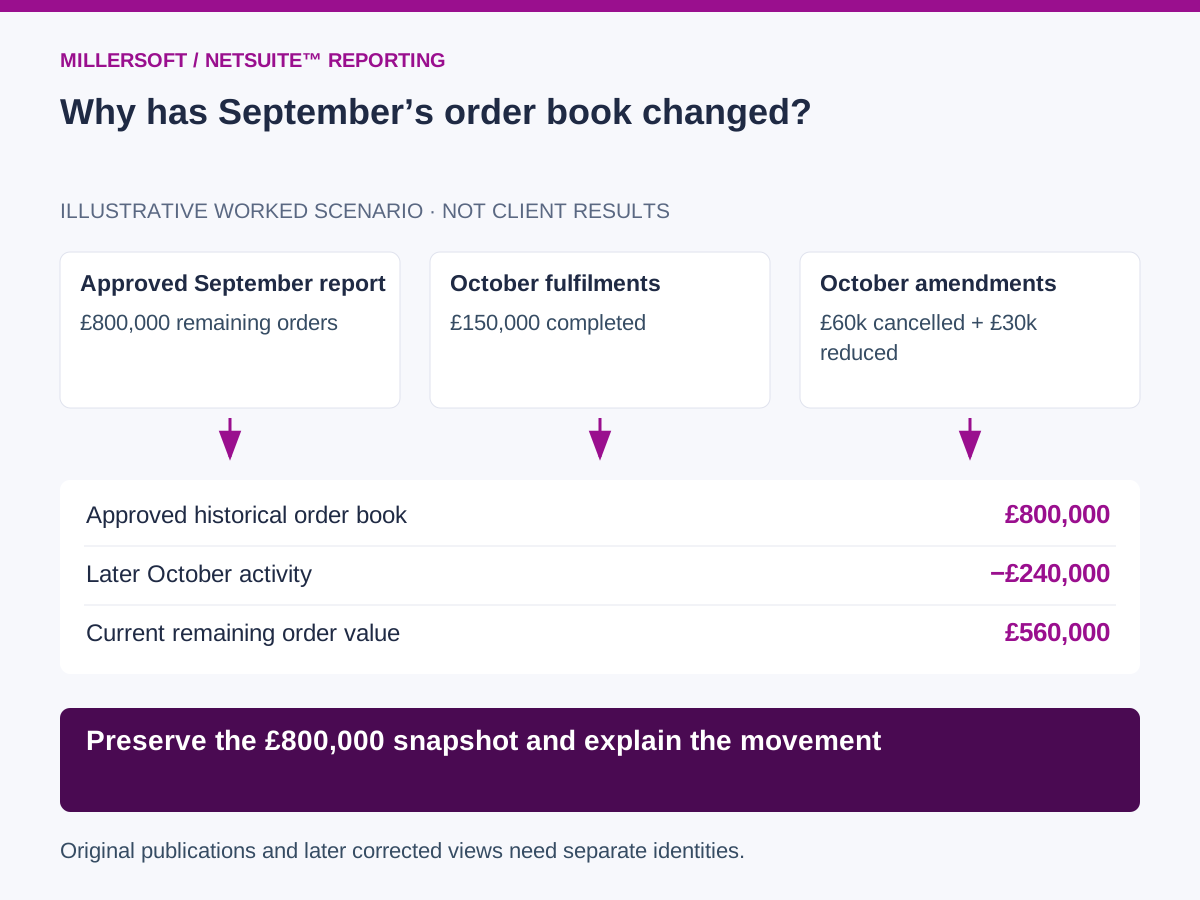
Consider an illustrative distributor whose approved 30 September report shows £800,000 of remaining confirmed order value, before tax, in one reporting currency. The next few days bring legitimate business activity.
| Event | Change in open value | Remaining order book |
|---|---|---|
| Approved 30 September snapshot | Opening position | £800,000 |
| October fulfilments | −£150,000 | £650,000 |
| October cancellations | −£60,000 | £590,000 |
| October price or quantity amendments | −£30,000 | £560,000 |
Assume the events apply after September and the reductions do not overlap. The current order book is £560,000, but the original September report remains £800,000. The £240,000 movement can be traced to fulfilments, cancellations and amendments.
A later correction effective in September requires a separately identified corrected view. Retain the original snapshot and the evidence explaining the revision, rather than silently replacing the previously issued figure.
 (opens the full-size image in a new tab)
What to retain in a historical NetSuite™ model
Keep account and subsidiary identifiers together with transaction and line identities. Retain quantities, statuses, currencies, prices and links to fulfilments, invoices and credits. Use source change timestamps and warehouse capture timestamps where available.
Customer hierarchies and product mappings need versions too. Applying today's customer-group structure to every earlier period can change a comparison even if the underlying orders have not moved.
Snapshots preserve observed states. Event and audit history can explain changes between them. A daily extract may miss an amendment made and reversed within the day, so the capture method must match the required reporting resolution.
A practical first engagement
- Select one subsidiary, one reporting period and an agreed open-order definition.
- Reconcile a retained extract to the approved source report.
- Capture the changes and related documents that affect that position.
- Reproduce the approved snapshot after subsequent operational activity.
- Demonstrate a supported movement bridge and a separate correction process.
Measure the time needed to retrieve an old balance and the proportion of differences that can be explained from retained evidence. Preserve the transformation version and parameters used for each publication.
Keep history usable when the ERP changes
An independent warehouse can retain permitted records, snapshots, mappings and calculation logic under your organisation's control. Test that a historical pack can be rebuilt without a live source query before an ERP migration or subscription change. Continued source updates still require an authorised, functioning connection.
Frequently asked questions
Does an independent warehouse replace NetSuite™ audit trails?
No. It can incorporate available audit evidence and add cross-system reporting history. Source audit controls remain important for operational accountability.
Can we recover history that was never captured?
Only to the extent that trustworthy evidence survives in source history, backups or retained reports. Agree the limitations before promising a historical reconstruction.
Continue exploring NetSuite™ reporting
Back to the independent NetSuite™ data warehouse overview.
- NetSuite™ stock and finance reconciliation: explain valuation differences
- NetSuite™ forecast accuracy: compare sales predictions with bookings
Make your NetSuite™ reporting explainable
Talk to Millersoft about a focused Data Vault Engine & Studio pilot using your permitted source data, reporting definitions and retention requirements.
Discuss your NetSuite™ reporting challengeNetSuite™ is a trademark of Oracle and/or its affiliates. Millersoft is not affiliated with or endorsed by Oracle.