Odoo™ stock valuation reconciliation: connect inventory and finance

Odoo™ stock valuation reconciliation explains why inventory quantities and values do, or do not, agree with the corresponding accounting balances. The investigation often spans receipts, deliveries, vendor bills, valuation adjustments and period-end entries.
A warehouse can connect those records, preserve the reporting cut-off and make each difference traceable. The reconciliation must follow the accounting configuration and Odoo™ version actually in use.
Start by agreeing what should reconcile
A stock quantity report and a general ledger account are not interchangeable views. They may use different valuation dates, include different locations or update at different stages of the business process. Consigned goods, transit locations, returns and unposted documents need explicit treatment.
Odoo™ 19 documentation distinguishes physical inventory valuation from accounting valuation and describes periodic and perpetual approaches, including a stock closing process. Earlier versions can use different posting flows. Confirm the installed version, costing method, localisation and relevant customisations before assuming a receipt should generate a particular journal. See Odoo™ 19's inventory valuation documentation.
This context belongs in the reconciliation specification. A report should state its company, stock ownership scope, accounting period, currencies and included accounts.
Real-world example: CLK Supplies connected separate workflows
Odoo™'s CLK Supplies customer story describes a business previously using Fishbowl for inventory, QuickBooks Online for accounting and additional Zoho tools. Its move to Odoo™ brought those business workflows into a shared platform. Read Odoo™'s CLK Supplies story.
The reporting lesson is that stock and finance must describe the same underlying transactions. A warehouse can extend that connection to historical extracts and external evidence. The published story concerns an ERP implementation, not a Millersoft reconciliation project.
Worked scenario: investigate a £500 valuation difference
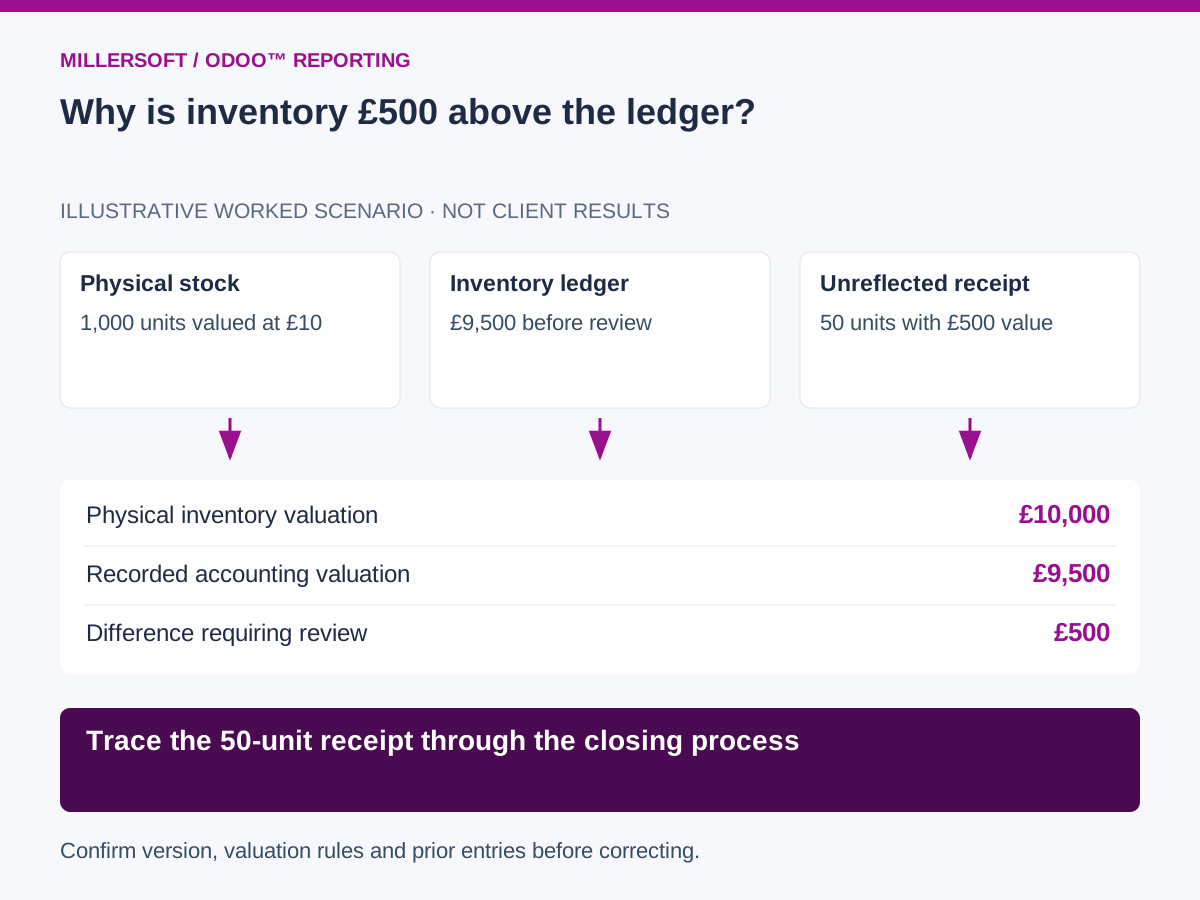
Consider an illustrative product with 1,000 owned units at an approved value of £10 per unit at month-end. The physical valuation is £10,000, while the relevant inventory ledger balance is £9,500.
| Evidence | Amount or quantity | Finding |
|---|---|---|
| Owned stock in the agreed scope | 1,000 units | Physical inventory position |
| Approved unit valuation | £10 | Simplified single-cost example |
| Physical valuation | £10,000 | Quantity multiplied by approved cost |
| Inventory general ledger balance | £9,500 | Accounting balance before review |
| Difference | £500 | Requires supporting explanation |
The investigation identifies 50 units received before month-end, with a £500 value not yet reflected in accounting. For this scenario, finance confirms that the configured closing process needs to include the receipt. The team reviews the outstanding documents and closing entries before approving the appropriate treatment.
This example is not a universal instruction to post a £500 journal. Costing, invoice status, previous closing entries and the actual accounting policy determine the correction. Reprocessing an already recognised receipt could duplicate the value.
 (opens the full-size image in a new tab)
Build a transaction trail across modules
Preserve product, company, warehouse and location identifiers together with stock movements, quantities, valuation records, bill lines and accounting entries. Record the source version and extraction time so an investigator can distinguish a late update from a genuinely missing transaction.
Use source document relationships where available. An amount-only match can wrongly pair unrelated receipts and bills. Partial receipts, split invoices and one invoice covering several receipts require a model that supports multiple related records.
Separate quantity differences from valuation differences. Reconcile opening quantity plus receipts minus issues to closing quantity, then examine the cost basis and accounting bridge. A price correction and an unrecorded movement may produce the same amount but require different action.
A practical month-end review
- Fix the company, date, ownership scope and account selection.
- Reconcile source extract completeness and movement totals.
- Classify differences by timing, quantity, cost, account mapping or document status.
- Assign unresolved items to inventory and finance owners with supporting evidence.
- Retain the approved reconciliation and any corrected reporting version.
Track unexplained differences by age and value, repeated root causes and time spent finding the source document. Begin with one product category and one period before expanding across all companies.
Frequently asked questions
Does every stock movement create an immediate accounting entry?
Do not assume so. Behaviour depends on the Odoo™ version, valuation settings and business process. Validate the expected posting flow with the responsible accountant or implementation partner.
Should the warehouse correct the operational records?
The warehouse should identify and explain exceptions. Approved corrections follow the organisation's inventory and accounting controls in the source systems.
Continue exploring Odoo™ reporting
Back to the Odoo™ data warehouse overview.
- Odoo™ profitability reporting: true margin by customer and product
- Odoo™ historical reporting: reconstruct past order books and pipeline
Make your Odoo™ reporting explainable
Talk to Millersoft about a focused Data Vault Engine & Studio pilot using your Odoo™ data, reporting definitions and control requirements.
Discuss your Odoo™ reporting challengeOdoo™ is a trademark of Odoo™ S.A. Millersoft is not affiliated with Odoo™ S.A.